Start with
what matters.
Start the day, thoughtfully.
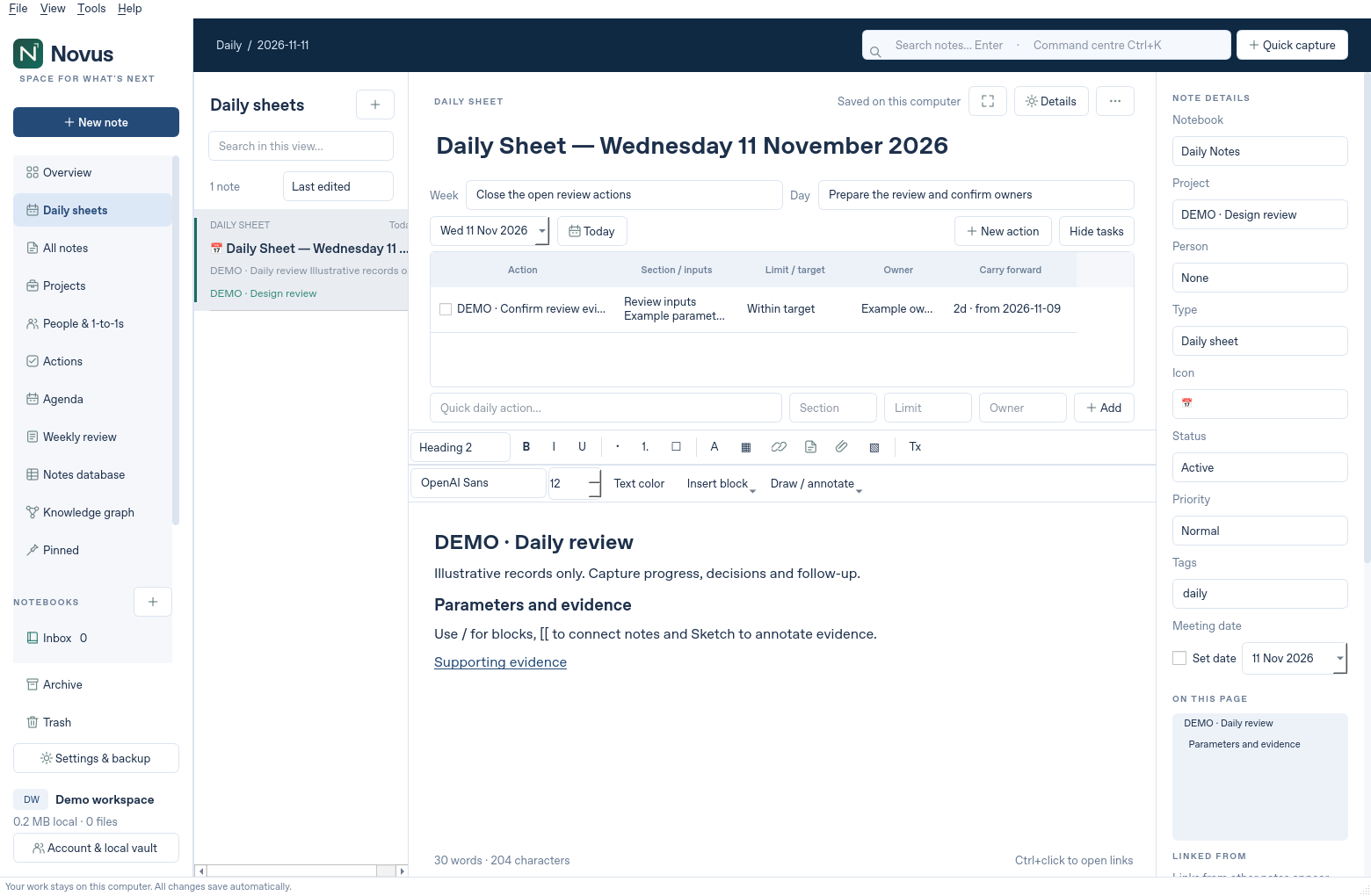
Daily sheets, shared weekly goals and unfinished actions carried forward. Pick up exactly where you left off.
Explore daily notesNotes, projects and the conversations that matter.
Beautifully connected. Entirely yours.
Make room for the work that matters.
From the first thought to the final follow-up.
Keep the detail without losing the bigger picture.
Daily sheets, shared weekly goals and unfinished actions carried forward. Pick up exactly where you left off.
Explore daily notesConnect notes, projects and people. Follow a link, revisit a decision or see the relationships in your knowledge graph.
See connected notesY Your action High
Turn a note into an action. Set an owner and due date, move it across your board, and close the loop in your weekly review.
Meet your action boardA native Windows app, made for real work.
Explore the actual Novus 1.3 interface.

Real application captures. All records shown are illustrative examples.
What’s going well? What needs a little support?
Make space for the conversation that matters.
Bring more continuity to your 1-to-1s and more clarity to your project updates. Less piecing things together. More meaningful follow-through.
Your notes live on your computer. No cloud account to create.
No automatic uploads. Just a workspace you control.
Write, organise and review offline. Your ideas don’t need a connection.
Export to PDF, Markdown, HTML or text. Make verified backups of your full workspace.
Choose a note or action, preview an email, then review and send in your own mail app.
Room to write. Ways to connect.
A few thoughtful shortcuts along the way.
Headings, callouts, tables and lists, just a slash away.
✎Sketch a thought or annotate an image, right in your note.
⌘ KJump to notes, projects, people and actions from one search.
↶Autosave, note history, recoverable Trash and verified backups.
Novus 1.3 is a native Windows desktop app. This website is its product home, guide and download centre. The interactive example above is a tour; it does not open or synchronise your real notes.
In a local workspace on your computer. Novus has no cloud account, telemetry or automatic uploads. You choose when to export, back up or share selected content through your mail app.
Yes. Each person installs Novus and gets an individual local workspace. You can deliberately share selected notes and actions by email. Novus 1.3 does not include a shared live database or real-time collaboration.
Import UTF-8 text, Markdown or HTML. The Argon vault importer also brings across its supported notes, images, goals and actions. Native OneNote and Evernote databases are not imported directly; export to a supported format first.
Yes, the installed app works locally without a network connection. Downloading the installer and sending email through your mail provider require a connection.
The current release targets Windows 11 x64. It is unsigned, so Windows or your organisation may warn or block it. Automated tests and package checks passed; installation and mail-client acceptance on your target Windows device remain pending.
Your notes. Your projects. A little more headspace.
Get Novus for Windows Novus 1.3 · Windows 11 x64 · Local by design